

Free Request for Registrant Identification Number (RIN) Template
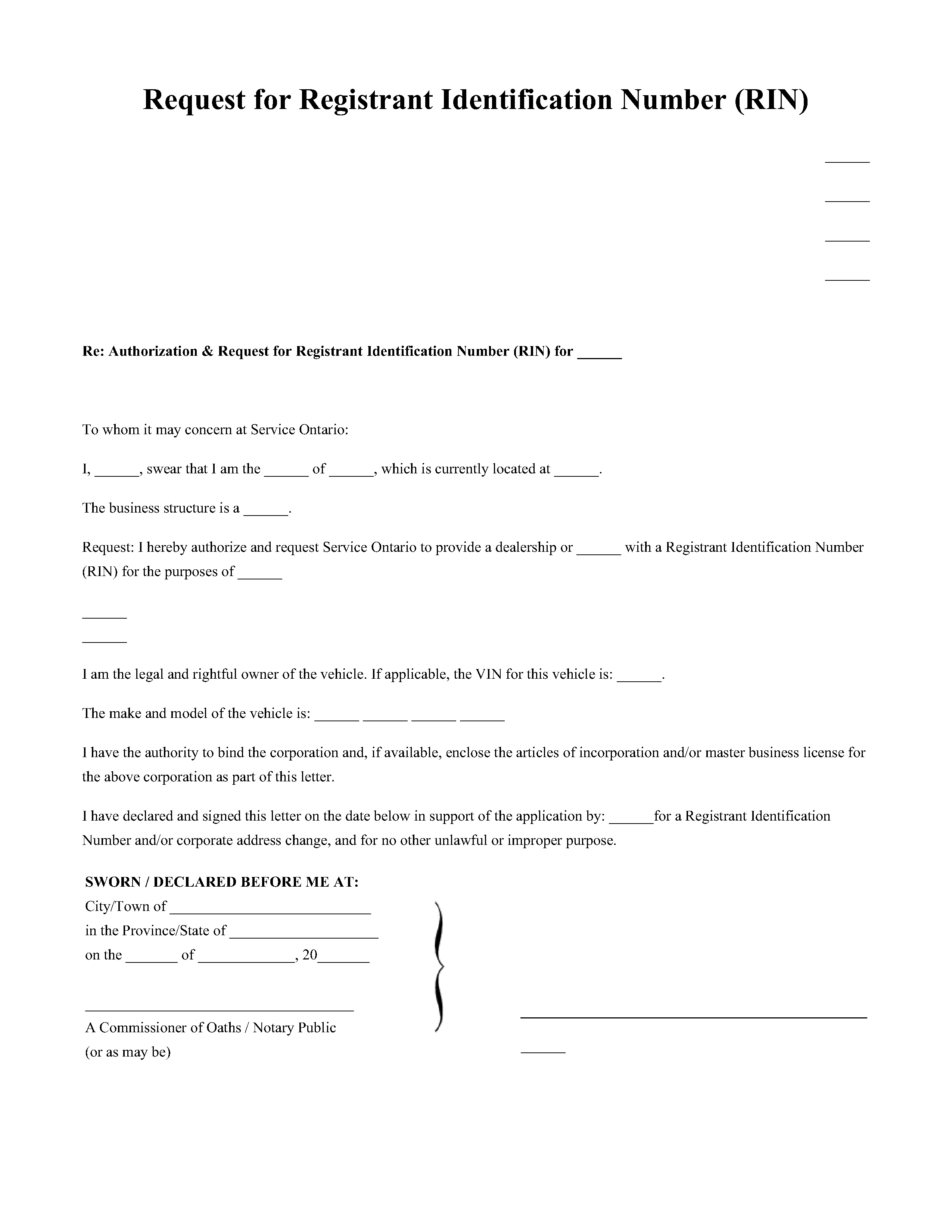
A formal request used to obtain a Registrant Identification Number for vehicle ownership in Ontario. Required for individuals without a local driver’s licence and all incorporated businesses. This template outlines the supporting documentation needed to verify your identity and residency for the Ministry of Transportation.
 PDF
PDF Word
Word Preview
 NOTARYPRO GUARANTEE
How it Works
Fill out our simple
online form with your
information.
Review and approve
the generated
document.
Once your document
is ready, you can
Notarise!
Meet with a notary public and draft your document
Meet a licensed professional online to draft your document. Get it completed in minutes.
 $99.95
$249.00
• Save: $149.05 (60%)
$99.95
$249.00
• Save: $149.05 (60%)

Featured NotaryPro Expert in Toronto
 See how our experts help you draft
Contents
-
What is a RIN Number in Ontario?

-
What Is an Ontario RIN Letter?
-
When Does Your Business Need a RIN Letter in Ontario?
-
The Purpose of RIN in Ontario
-
Who Needs a RIN in Ontario?
-
Information to Include in Your RIN Letter
-
Supporting Documents for Your RIN Letter
-
Commissioning Your RIN Letter
-
Draft Your Ontario RIN Letter Today
What is a RIN Number in Ontario?
In Ontario, a RIN (Registrant Identification Number) is a unique 9-digit number assigned to a business, organization, or Indian Band. This number enables businesses to register company vehicle(s) with the Ministry of Transportation (MTO). It is issued by Service Ontario, and your organization typically needs it to:
- Register a company vehicle;
- Transfer ownership of a vehicle;
- Update business information; or
- Obtain or register a licence plate.
Each company only needs one RIN to register vehicles, no matter how many vehicles it owns. To learn more about RIN in Ontario, you can check out our complete Guide to Ontario’s Registrant Identification Number.
Do you have Questions about your Request for Registrant Identification Number (RIN) Document ?
 Create Request for Registrant Identification Number (RIN) Now
What Is an Ontario RIN Letter?
To obtain or update a RIN, your organization may need to provide a Letter of Authorization from your company. Before submitting your RIN letter to Service Ontario, it must be commissioned by an authorized official, like a notary public. The process of commissioning ensures that the notary has:
- Verified the identity of the person who signed the letter
- Witnessed the signer’s signature
- Confirmed the signer’s authority and business documents
An individual authorized to bind the organization (e.g., an owner or director) must write and sign the letter. You can meet with a notary online to have your RIN letter commissioned in 7 minutes, from anywhere.
Read our blog learn more about the process of commissioning.
When Does Your Business Need a RIN Letter in Ontario?
You may need a RIN Letter to obtain a new RIN or update details associated with your existing RIN. Details you may want to update include your business name, officers, or address.
You’ll need a commissioned RIN Letter if an authorized signing officer isn’t applying in person at Service Ontario. If a third party without signing authority (e.g., an employee) applies at Service Ontario, they’ll likely need a Letter.
If Service Ontario can identify someone’s business authority on the spot, they likely won’t need one. The following individuals do not typically need to bring a RIN Letter when applying for or updating a RIN:
- A business owner
- A sole proprietor
- An executive
- A signing officer
- A director
The individual appearing at Service Ontario must present the following documentation:
- Valid government photo ID; and
- Original or acceptable business documents (e.g., Articles of Incorporation, Business Name Registration)
The Purpose of RIN in Ontario
A RIN Letter supports a business’s request to obtain or update a RIN for vehicle registration purposes in Ontario. It confirms the company’s identity and authorizes the Ministry to issue a RIN or update its RIN record.
Since a business doesn’t have a driver’s licence, it uses a RIN as its official identifier with the Ministry of Transportation.
A RIN is essential for Ontario companies, as it:
- Enables legal registration: It allows companies to register and plate vehicles under a business name.
- Ensures compliance: Businesses must comply with Ontario’s legal requirement to register all vehicles before operating them on public roads.
- Links vehicles to the business: It connects every company-owned vehicle to a business, establishing proof of ownership and accountability.
- Prevents fraud and errors: It reduces duplicate registrations and protects against identity misuse.
- Improves record-keeping: It centralizes all vehicle data for renewals, transfers, and updates, so businesses can easily manage multiple vehicles.
- Streamlines operations: It simplifies day-to-day fleet and vehicle administration, reducing paperwork and ensuring accurate, up-to-date records.
- Supports legal protection: It provides a legal paper trail in cases of theft and misuse, proving that a vehicle belongs to a business.
Requests are submitted through ServiceOntario, which administers vehicle registration on behalf of the Ministry of Transportation (MTO).
Who Needs a RIN in Ontario?
In Ontario, you’ll need a RIN to register company vehicles that your business owns or manages. More specifically, you’ll need a RIN if you are:
- A business or corporation: Any business that registers vehicles under its name needs a RIN, including contractors, sole proprietors, partnerships, organizations, and non-profit organizations.
- A car dealership or leasing company: Businesses that buy, sell, lease, or manage fleets of vehicles.
- A transportation or logistics company: Fleet operators, courier services, and trucking firms that manage multiple vehicles.
Information to Include in Your RIN Letter
Before you submit your RIN Letter to the Ontario Ministry of Transportation, make sure it includes all required information. Here’s how to write your RIN Letter:
The basics of your RIN Letter:
- Use the correct format: Have your company’s letterhead at the top of your letter.
- Company name and information: The letter must be printed on your company’s official letterhead.
- Date: Include the date you wrote the letter.
- Company address and phone number: Add your business’s registered address and telephone number.
- Recipient’s information: The letter should be formally addressed to the Ministry of Transportation.
Details for the body of your RIN Letter:
- Statement of purpose: Clearly state that the letter’s purpose is to apply for a RIN so that your company can register vehicles with the MTO.
- Business details:
- Legal business name, as it appears on your incorporation or registration documents.
- Business type (e.g., corporation, partnership, or sole proprietorship).
- Business Number (if applicable).
- Authorized individual’s information:
- The full legal name of the person with signing authority.
- Their position or title within the company (e.g., Owner, Director, or President).
- Statement of authority: Include a formal declaration confirming that the signing individual has the authority to bind the corporation. This is often phrased as: “I have the authority to bind the corporation”.
- Vehicle information (if known): If you are registering a specific vehicle, include its details, such as the make, model, year, and Vehicle Identification Number (VIN).
Signature section of your RIN Letter:
- Signature of authorized person: The letter must be signed by a person with signing authority, who can legally bind the company.
- Notary section: The letter must include a section for a notary public or commissioner of oaths to sign, date, and affix their official seal.
Supporting Documents for Your RIN Letter
When registering for a RIN, you’ll be asked to provide certain documents. The exact documentation may vary depending on your business type, but ServiceOntario commonly requests the following items:
Primary Identification:
- Authorized individual’s identification: As the person signing the RIN Letter, you must present valid government-issued ID, like a driver’s licence, photo card, or passport. ID confirms both your identity and your authority to represent the business.
Business Verification:
- Business registration documents: Include proof of your business’s legal existence, such as Articles of Incorporation, a Master Business Licence, or a partnership agreement.
- Business licence (if applicable): Attach a copy of your current business or organization licence.
- Business identification numbers: Provide your Business Number (BN) or Tax Identification Number (TIN), if applicable.
Address and Insurance Proof:
- Two documents to prove business address: Submit two official documents showing your business’s registered name and address. Examples include a utility bill, a lease agreement, or a corporate tax filing.
- Proof of vehicle insurance: Provide a valid Ontario insurance pink card confirming coverage for the vehicle being registered.
Commissioning Your RIN Letter
A RIN Letter must be commissioned before you submit it to the Ontario Ministry of Transportation.
Commissioning means signing your letter in front of an authorized official, like a notary public or commissioner of oaths. During your notary appointment, you’ll make an oath or affirmation, stating that all details in your letter are true and complete. The official will confirm your identity and apply a notarial seal to confirm the document’s authenticity. You can complete this process fully online in minutes, just book an online notary appointment with us!
Check out our guide on preparing for an online notary appointment to learn more about the commissioning process.
Commissioning matters because your RIN Letter acts as a sworn declaration to the MTO. It confirms that a company owner or director has authorized the creation or update of the Registrant Identification Number (RIN). Commissioning prevents unauthorized filings, ensures document integrity, and keeps your business fully compliant with Ontario’s registration standards.
Draft Your Ontario RIN Letter Today
A RIN Letter is a crucial document for any business registering vehicles in Ontario. It’s used to ask the Ministry of Transportation (MTO) to issue a new RIN or update an existing one. Having a properly drafted and commissioned letter ensures your request for a RIN is valid, compliant, and accepted without delay.
With our online notary services, you can have your RIN Letter commissioned from anywhere in Canada in just 7 minutes. Book your online notary appointment today and have your letter ready for submission to the MTO in no time!
 for instant explanation
NOTARYPRO GUARANTEE

Request for Registrant Identification Number (RIN)
 1028+ Downloads